Where to Put a Tablet on Your Gaming Desk Without Blocking Your Keyboard
Make your choice before seeing what I tried. Reach the end to unlock The Phone and Tablet Placement Worksheet.
Every choice earns participation XP. Change your answer or skip a question anytime. The full story stays open, and rewards need no email.
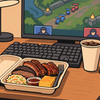
When I first played Black Myth: Wukong, before the official map update, I relied on player-made guides online. One evening, I was following a guide to find an entrance on the map.
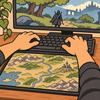
The guide was one long image. I opened it on my phone, zoomed in to check the route, went back to the game, and a few steps later wanted to confirm whether I should have turned left or right. I picked up the phone, swiped, and accidentally shrank the image again.
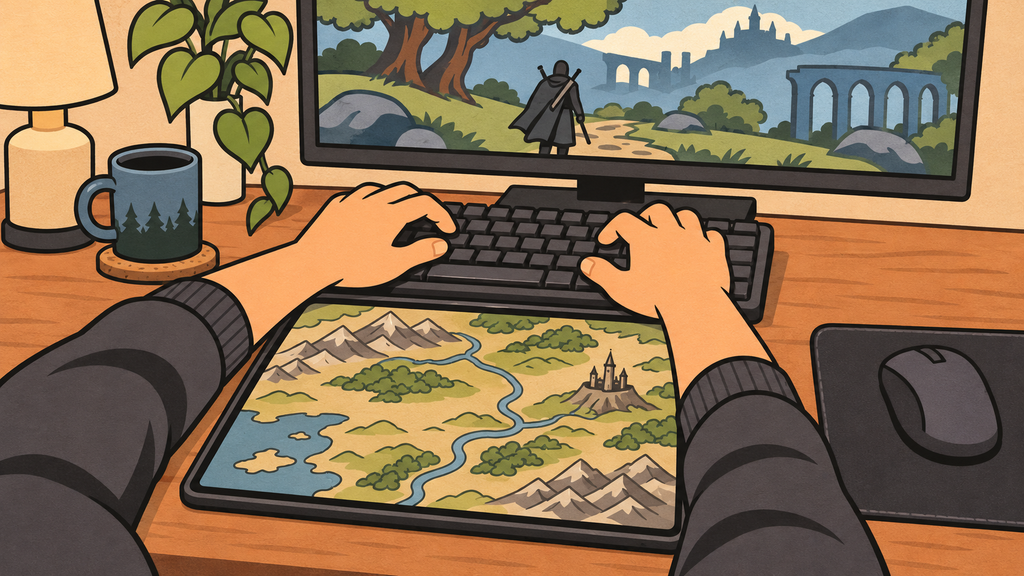
Eventually, I got out my tablet and laid it sideways in front of the keyboard. The map was clearer, but my wrists hit the tablet edge when I reached for the keys, so I pushed the keyboard farther back.
I moved the keyboard back and forth several times that night. After closing the game, I went to reply to a message and realized I had been stretching my arms forward to type.
The map was clearer. Typing felt worse.
What would you adjust first?
Skip for now and keep reading ↓
I tried putting the guide on the computer
The simplest option was to make the game window smaller and open the guide beside it.
That worked for tasks where I could stand still and take my time. But I was moving through the world while checking the route. Shrinking the game also made its minimap smaller. I tried switching between windows too, but had to stop and check my direction again every little while.
A tablet worked well for a map because the whole image could stay open. What I needed was a place where I could see it without changing how I used the keyboard and mouse.
I borrowed a folding stand and put it on my right. It was comfortable to look at, until a broad mouse movement sent the back of my hand into its base. I moved it below the monitor. That freed the mouse, but the tablet in landscape orientation covered a small part of the main screen.
Those two attempts showed me how to test the next spot: put the keyboard and mouse back where they belonged, then look for room for the tablet.
The right side hit my mouse. Below the monitor blocked the screen.
How would you choose the final position?
Skip for now and keep reading ↓
I tested three positions with the same map
With the guide open and my usual gaming posture, I tried below the main display, outside the mouse area, and to the left of the monitor.
Interestingly, I had initially wanted the tablet near my right hand so I could swipe it easily. In actual gameplay, I mostly glanced at it and only touched it every few minutes. The left side worked better for me. I could look over while keeping my right hand on the mouse.
In the end, I supported the tablet to the left of the monitor, slightly above desk level. I also kept a small spot near the edge for my phone, where I could find messages or verification codes at a glance. Before fixing anything, I kept the tablet case on and tested landscape use, picking it up, and connecting the cable. The plug had fitted during the desktop trial, but in the final position my fingers barely had room. Moving it a little to the side gave me clearance to connect and disconnect it.
For an occasional guide, an existing folding stand may be enough. A regular spot made sense for me because I also read task instructions while chatting with friends, or look at diagrams while assembling things. Only after repeatedly reaching for the tablet did I feel a permanent place for it was worth keeping.

How do you usually use a guide screen?
Pick the situation closest to yours.
Skip for now and keep reading ↓
Now I can glance at the map and keep moving
When I reach a junction, I glance at the map on the left with my hands still at the controls. If I need to zoom in, I reach over and swipe. When I finish with it, I can lift the tablet straight off the holder.
I used to make room for the tablet by moving a keyboard that had already been comfortable. Now, before adding anything to the desk, I sit down and use my existing gear first. A spot can look empty until your mouse sweeps through it or your wrists settle into place. That is when you find out what the space was already doing.
Each choice earns 25 XP, plus 25 XP for claiming the end reward. XP is for this article only, not store credit or a discount. Refreshing starts a new quest.
The Phone and Tablet Placement Worksheet
After reading, pick one small change to try today.
Open the three-position test worksheet
After downloading, note whether each position blocks the main screen, catches your mouse, crowds your wrists, or leaves room to connect cables.
Below the main display
Outside the mouse area
Beside the monitor
Your checklist is free, with no email required. Tick items before downloading to save your current checkmarks.