KOKOPEGBOARD Hidden Cable Management Guide: 4 Steps to a Zero-Cable Gaming Desk

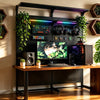
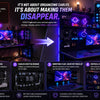
For hardcore gamers with multi-peripheral setups, the ultimate goal of cable management is achieving a minimalist aesthetic while maintaining the flexibility to upgrade gear effortlessly. By utilizing the physical blind spots of the KOKOPEGBOARD steel backboard system, you can completely hide your cables without relying on complex industrial accessories. You only need two core tools to achieve this zero-cable look (as shown in the image):
-
A cable management tray (to hold power strips and power sources).
-
Hook-and-loop straps (for dynamic fastening, eliminating the need for single-use zip ties).
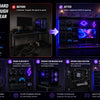
Here is the official 4-step hidden cable routing guide based on real-world installation logic.
Step 1: Layout Planning and Modular Configuration
Before placing any equipment on your desk, the first step is to visualize your final aesthetic. Pre-plan the exact positioning of every piece of gear—your PC tower, main monitor, secondary screens, speakers, and controller mounts.
Practical Tip: Thanks to KOKOPEGBOARD's fully modular design, the heights and positions of all shelves and backboards are completely adjustable. During this phase, align the backboards and shelves according to your planned layout. Please note: when assembling the backboards, intentionally leave a small micro-gap between two panels along your expected cable routing path. This gap will serve as your invisible channel for the cables.
Step 2: Equipment Placement and Cable Drop
Once the modular framework is set, position your gaming PC, monitors, and other peripherals into their designated spots and prepare to plug them in.
Practical Tip: As you place the equipment, power cords, DP/HDMI cables, and data wires will naturally hang down. The goal of this step is to keep the time these cables spend in your direct line of sight to an absolute minimum, setting the stage for physical concealment in the next phase.
Step 3: Gap Routing and Secure Storage
This is the core process for achieving a "zero-cable" desktop.
-
Gap Routing: Route the plugs of your cables directly through the intentional micro-gap you left between the backboards behind your equipment. In an instant, the bulk of your wires will vanish from your front view as they cross the steel barrier.
-
Tray Installation: Pull the routed cables straight down through the blind spot behind the pegboard. Mount the cable management tray at an appropriate height (ensuring it stays below the desk surface) and place your power strip inside. You can now plug in your devices at eye level from behind the board.
-
Hook-and-Loop Fastening: Manage bulky power bricks and excess cable lengths by securely strapping them to the back of the steel panels using hook-and-loop ties. Unlike traditional single-use zip ties, these straps offer sturdy storage with the massive advantage of being reusable. When swapping out a mouse or keyboard in the future, simply rip and restick to release the specific cable—no scissors required, and your existing cable runs stay perfectly intact.
Step 4: Desk Reset and Aesthetic Concealment
Once all cables and power adapters are secured behind the board, only a single main power cord will elegantly emerge from the bottom. Now, gently push your gaming desk back until it sits flush against the KOKOPEGBOARD system.
Solution Advantages:
-
Total Visual Purification: With the desk back in place, the physical overlap of the desk and the backboard completely hides the cable tray and any remaining wire ends in a visual blind spot. Sitting in your ergonomic chair, you will experience a completely distraction-free forward view with zero visual noise.
-
Highly Expandable Maintenance: This method entirely eliminates the pain of traditional under-desk routing, where moving one wire ruins the whole setup. Whether you are upgrading hardware, rearranging peripherals, or cleaning dust, simply pull the desk slightly outward. The entire cable system will be presented to you at a comfortable eye level, making adjustments incredibly easy.
FAQ
Q1: Will mounting power strips and multiple high-wattage power adapters on the pegboard cause overheating or safety issues?
A: Compared to enclosed plastic under-desk cable management boxes, the KOKOPEGBOARD solution offers superior heat dissipation. First, the high-strength steel panels inherently possess excellent thermal conductivity. Second, the dense grid of holes ensures effective air convection in the rear space, maintaining safe operating temperatures even when running high-load gaming PCs for extended periods.
Q2: What if my monitor's power cable is too short to pass through the gap and reach the power strip at the bottom?
A: This is where the advantage of a fully modular design truly shines. If a specific device cable is short, you can simply mount the cable management tray (and the power strip) higher up on the pegboard, closer to the device, instead of at the very bottom. You just need to ensure it remains below the desk line to stay hidden in the visual blind spot.
Ultimate PC Gaming Room Cable Management Setup
Achieving a pristine, zero-wire gaming environment doesn't require tearing apart your workspace or dealing with frustrating under-desk constraints. By leveraging the modular architecture and physical blind spots of the KOKOPEGBOARD, you can create a dynamic, hidden routing system that keeps your setup looking immaculate while remaining highly adaptable for future hardware upgrades.
-
Publié dans
Buying Guides