How to Store Game Controllers Without Cluttering Your Desk
Make your choice before seeing what I tried. Reach the end to unlock The Two-Player Ready-to-Play Card.
Every choice earns participation XP. Change your answer or skip a question anytime. The full story stays open, and rewards need no email.
A friend came over one day, and we planned to play a couple of rounds of Overcooked.
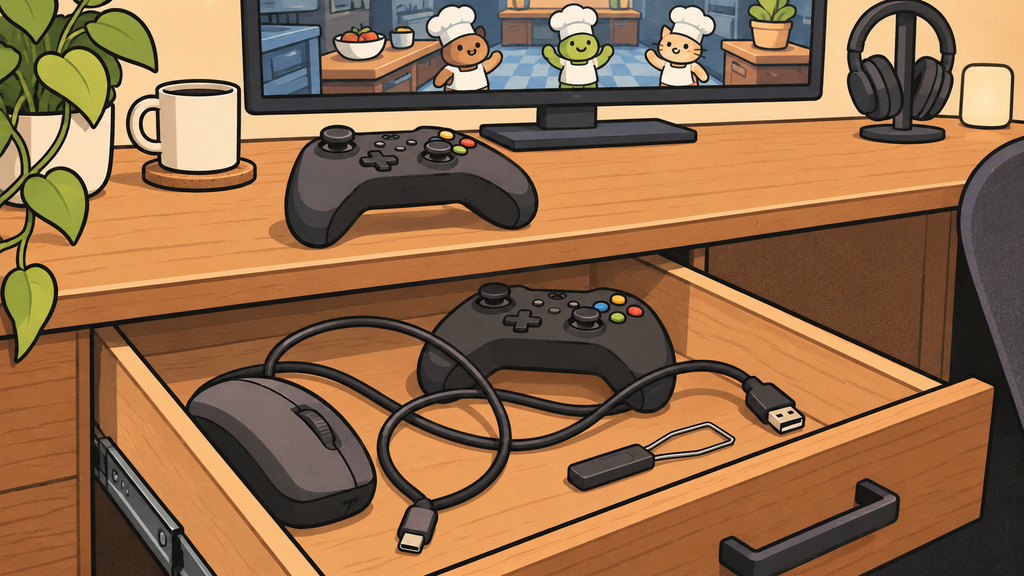
The game was already open. I handed him the controller on my desk and said, “Give me a second. The other one should be in the drawer.”
Inside were two cables, an old mouse, and the keycap puller left over from the last time I took my keyboard apart. The controller was at the back. I took it out and pressed buttons for a while before realizing the battery was dead.
I picked one of the two cables. The connector fit, but the cable was so short that the controller had to stay beside the PC.
My friend sat there with the working controller, watching me crouch under the desk and rummage around. “Have we already started playing?” he asked.
When I played alone, I had never thought controllers needed dedicated storage. Keep the usual one on the desk and put the spare away: it sounded reasonable. I knew roughly where both controllers were, but I had never thought through how we would use them together next time.
Found it. Still not ready to play.
What would you prepare first?
Skip for now and keep reading ↓
First, I put both controllers in one box
After that day, I found an empty box and put both controllers in it with a few spare cables.
Finding them became easier. But a few days later, after playing alone, I left the regular controller on the desk again. I usually take my headset off before getting up, and the controller naturally ends up beside it. The box was in a lower drawer, which meant bending down, opening the drawer, and lifting the lid.
I could keep that routine going for a few days. But after the last game, especially when I was tired, I just wanted to put the controller down and leave.
I also tried moving the box onto the desk. Getting to them was easier, but the box took up more room than the two controllers on their own. Whenever I typed, I had to push it around.
The drawer took effort. The box took space.
What would you try next?
Skip for now and keep reading ↓
I gave the controllers places side by side
I looked again at everything I did, from starting a game to putting the controller down afterward. I usually picked it up near the back-right side of the desk, and I passed that spot when getting up. I cleared a small area there and tested it on the desk corner for a few days.
The location worked because I could reach it while seated and put the controller back while standing. Later, I moved the controllers onto holders side by side behind the desk, with each cable kept nearby. If one controller was missing, I could see it immediately.
Once they were in place, I tested them again from the seats my friend and I actually used. I connected the cables to check whether they were long enough and whether the holders blocked the ports. I kept the short cable for charging. The longer cable, which let someone sit comfortably and play, stayed beside the second controller.
If you have a spare desk corner, an open tray can do the same job. I chose holders because I also use a keyboard and mouse here every day, and I wanted to keep that surface for my arms and mouse.
Choose a home for your second controller
Which fits your setup best?
Skip for now and keep reading ↓
Later, my friend could get player two ready himself
The next time he visited, he asked which controller to use. “The one on the right,” I said.
He took it down himself, sat down, and connected it.
Now, if I notice a low battery when putting a controller back, I connect it to the charging cable already there. I still need to check the battery, but it has been a long time since I had to crouch down and search a drawer after the game lobby had already loaded.
I originally just wanted somewhere for a spare controller. Using the setup showed me that a good location is one that lets the next person get started easily, even if they have no idea what is in my drawers.
Each choice earns 25 XP, plus 25 XP for claiming the end reward. XP is for this article only, not store credit or a discount. Refreshing starts a new quest.
The Two-Player Ready-to-Play Card
After reading, pick one small change to try today.
Your checklist is free, with no email required. Tick items before downloading to save your current checkmarks.