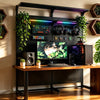
How to Fix a Messy Gaming Desk with KOKO PegBoard

Quick answer: a messy gaming desk usually does not need more boxes. It needs better use of vertical space.
If your gaming desk feels crowded, the problem may not be that you own too much gear. The real issue is that too many things are sitting on the desktop.
A typical gaming setup may include a monitor, PC tower, keyboard, mouse, headset, controllers, speakers, microphone, chargers, cables, lighting, storage devices, and desk decorations. If all of these stay on the desk, even a large desk can quickly feel messy.
KOKO PegBoard is designed to help move part of that storage from the desktop to vertical space. Instead of letting everything spread across the desk, it gives headsets, controllers, cables, accessories, and some devices a more organized place to go.
KOKO PegBoard comes in two color versions: Night Aegis KOKO PegBoard in black and Light Angel KOKO PegBoard in white. The two versions have the same structure and function. The only difference is the color.
In simple terms: KOKO PegBoard helps your desk stay clear by turning unused wall-side or behind-desk space into a storage and display area.
Why gaming desks get messy so fast
Gaming desks usually hold more than regular work desks. Besides a keyboard and mouse, many users also have controllers, headsets, charging cables, docks, lighting, speakers, and extra accessories.
The desktop is easy to reach, so it becomes the default place for everything. But the more items you keep on the desk, the less space you have for actual use.
That is why simply moving things from one side of the desk to the other does not solve the problem. A better solution is to move items that do not need to sit on the desk into vertical storage.
What KOKO PegBoard helps organize
KOKO PegBoard is useful for organizing common gaming setup items such as:
- gaming headsets,
- controllers,
- charging cables,
- small accessories,
- storage boxes,
- desk setup decorations,
- cable management accessories,
- and selected PC or monitor-related accessories when used with the right hardware.
The goal is not to hang every single item you own. The goal is to give each item a clear place, so the desktop can stay open for the things you actually use every day.
Why vertical storage works better than adding more desk organizers
Small storage boxes can help with tiny items, but they also take up desk space.
For a gaming setup, the bigger problem is often the overall space structure. Headsets, controllers, cables, PC gear, and monitor accessories all need a place, but not all of them need to stay on the desktop.
Vertical storage helps by moving items to areas that are often unused, such as the wall-side space, the area behind the desk, or the space near the back of the setup.
This can make the desk look cleaner without forcing you to buy a larger desk.
Cable management is not just about hiding cables
Many people try to clean up cables by pushing them behind the desk. It may look better for a while, but it often creates a new mess later.
A better cable setup should do three things:
- keep the front view cleaner,
- give cables a clear path,
- and make future adjustments easier.
With the right cable management accessories, KOKO PegBoard can help guide cables behind the board, under the desk, or into a more organized routing area. This makes the setup easier to maintain, not just easier to photograph.
Common mistake: buying a bigger desk instead of changing the storage logic
A bigger desk can help, but it does not always solve the real problem.
If the storage logic stays the same, a bigger desk may simply give clutter more room to spread out. Your headset, controllers, cables, PC tower, and accessories may still end up scattered across the desktop.
Before replacing your desk, ask this question:
Which items actually need to stay on the desk, and which items only need a fixed place nearby?
For many gaming setups, using vertical space is more effective than only increasing desktop size.
What should stay on the desk?
Not everything should be moved off the desk.
Items you use constantly should usually stay on the desktop, such as:
- keyboard,
- mouse,
- mouse pad,
- water bottle,
- notebook,
- or any item you need every few minutes.
Items that need a fixed place but do not need to sit on the desktop are better candidates for vertical storage.
What should move to vertical space?
These items are usually better suited for the pegboard area:
- headsets,
- controllers,
- charging cables,
- backup cables,
- small accessories,
- decorations,
- storage boxes,
- and selected devices that can be safely placed on matching shelves or brackets.
This keeps the desktop focused on active use, while the pegboard handles storage, display, and cable organization.
How to plan a cleaner gaming setup
Before adding accessories, start with a simple layout plan.
A practical setup can be divided into four zones:
- Daily-use zone: headset, controller, and cables you use often.
- Accessory zone: chargers, adapters, storage boxes, and backup devices.
- Display zone: decorations, collectibles, or items you want to show.
- Hidden cable zone: power cables, video cables, and charging cables routed behind or below the desk.
This keeps the pegboard useful instead of turning it into another crowded wall.
How KOKO PegBoard fits into a gaming setup
KOKO PegBoard is not meant to be a magic fix where you place it near your desk and every problem disappears.
Its real value is that it gives your gaming setup a more structured storage system.
It helps you:
- free up desktop space,
- give accessories a fixed location,
- reduce visible cable clutter,
- move some storage into vertical space,
- make the setup look cleaner for gaming, streaming, photos, or videos,
- and create a more unified gaming room style.
When planned well, KOKO PegBoard works as both a storage system and a display wall for your gaming gear.
Is KOKO PegBoard good for small desks?
Yes, it can be especially useful for smaller desks placed near a wall.
Small desks often do not have enough room for a PC tower, monitor base, headset, controllers, chargers, and decorations at the same time. Adding more desktop organizers may make the desk feel even more crowded.
A floor-standing pegboard helps use the vertical area behind or beside the desk, instead of taking up more horizontal workspace.
Who is KOKO PegBoard best for?
KOKO PegBoard is a good fit for users who:
- have too many items on their gaming desk,
- want better cable management,
- need a fixed place for headsets, controllers, and accessories,
- want a cleaner setup for streaming or content creation,
- want to use vertical space instead of buying a larger desk,
- and are willing to plan their layout instead of randomly placing items.
Who may not need it?
KOKO PegBoard may not be necessary if:
- your desk is already clean,
- you only need to store a few small items,
- you do not have usable wall-side or behind-desk space,
- you do not want to plan cable routes or accessory placement,
- or you only need a simple drawer, tray, or small organizer.
It is best for users who want a more complete gaming desk organization system, not just a small container for random items.
FAQ
Do I really need a pegboard for a messy gaming desk?
Not always. If you only have a few small items, a cable clip, drawer, or small organizer may be enough. But if your desk is crowded with headsets, controllers, cables, chargers, PC gear, and accessories, a pegboard can solve the space problem more effectively.
Can KOKO PegBoard make my desk feel bigger?
It cannot make the desk physically larger, but it can free up usable desktop space. By moving items into vertical storage, the desk can feel cleaner and more open.
Can it help hide cables?
Yes, it can help reduce visible cable clutter when used with cable management accessories. The final result depends on your cable length, power outlet location, device count, and routing plan.
Can I put my PC tower on KOKO PegBoard?
Some PC towers or heavier devices may be placed on a suitable shelf, depending on weight, size, center of gravity, and shelf support. Heavy items should not be placed randomly. Always use the right accessory and check the setup before long-term use.
Can I mount a monitor with KOKO PegBoard?
KOKO PegBoard can work with monitor support solutions, but compatibility depends on monitor size, weight, bracket fit, and installation stability. Always confirm these details before mounting a monitor.
Will a pegboard make the setup look more cluttered?
It can if there is no plan. A pegboard should not be packed as full as possible. Keep frequently used items easy to reach, route cables behind the setup, and use the upper or side areas for less-used items.
Is KOKO PegBoard better than a regular desk organizer?
If you only need to store a few small items, a regular desk organizer may be enough. If you want to organize gaming gear, cables, accessories, PC equipment, and visual layout together, KOKO PegBoard is a more complete solution.
Final answer: should you use KOKO PegBoard to organize your gaming desk?
If your desk only has a few small items, you may not need a full pegboard system. A small organizer or cable clip could be enough.
But if your gaming desk is crowded with a PC tower, monitor accessories, headsets, controllers, cables, chargers, and desk decorations, KOKO PegBoard can help you build a cleaner and more organized setup.
In simple terms: let your desktop handle active use, let vertical space handle storage, and let the back area handle cable routing. That is how KOKO PegBoard helps turn a messy gaming desk into a cleaner gaming setup.
-
Veröffentlicht in
Buying Guides